Satellite Picker & Filters
Browse and select the EO catalog by operator, constellation and satellite; filter by sensor and orbit chips; set per-satellite color or track visibility.
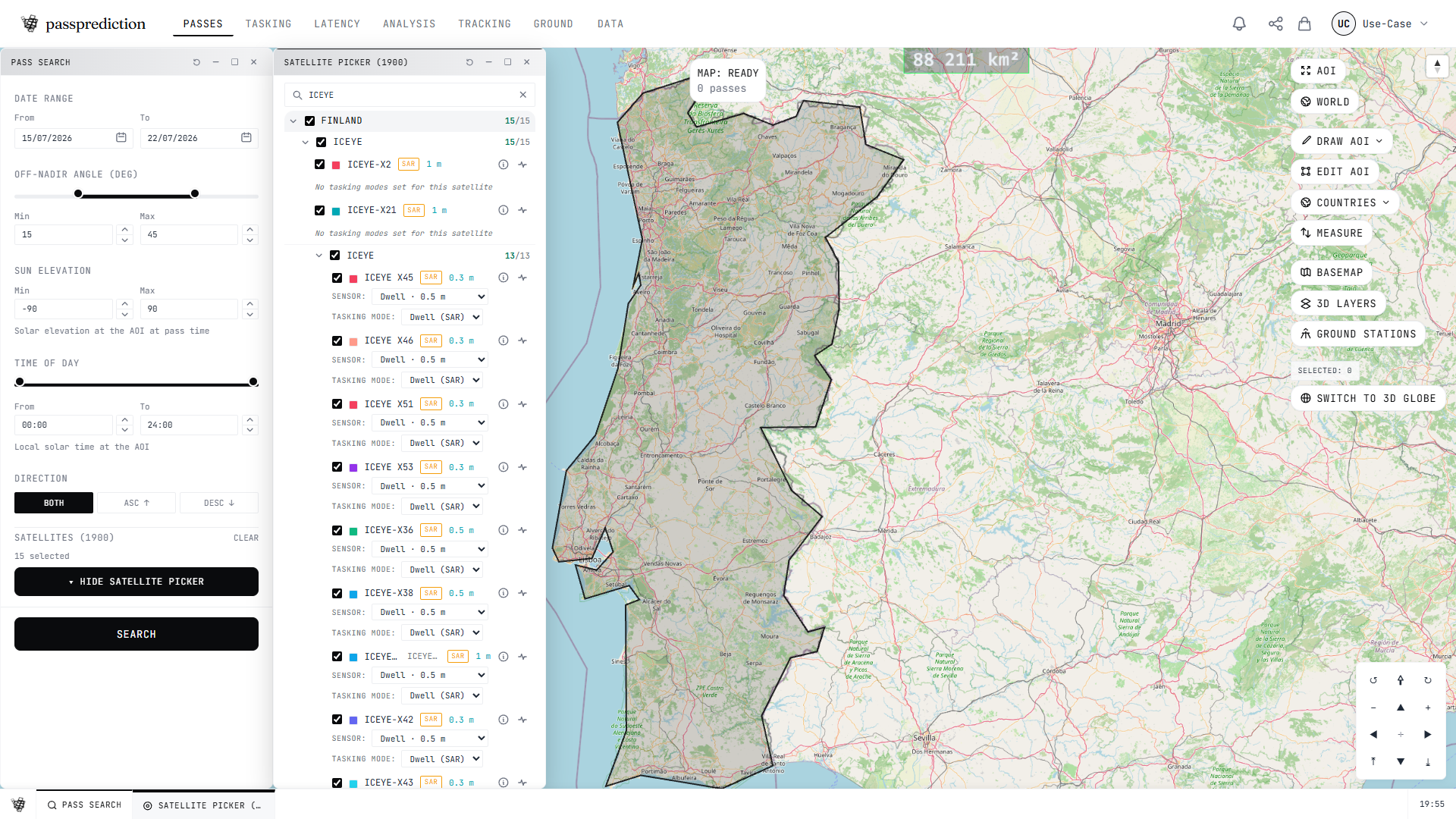
Step by step
- 1Open Satellites and expand an operator or constellation.
- 2Tick the satellites you want to include.
- 3Narrow the list with sensor and orbit filter chips.
- 4Toggle the eye to show or hide each ground track.
- 5Set a per-satellite color to tell them apart.
Frequently asked questions
How do I choose which satellites to include in a search?
Open the Satellites panel and browse the catalog hierarchically: operator → constellation → satellite, each with counts. Select individual satellites or whole constellations, and use the sensor and orbit chips to filter (e.g. optical vs SAR). You can also toggle each satellite's ground track and color from its row.
Related help
Try it now on the interactive map, learn the underlying concepts in the glossary, or see all help topics.